




Material
Copper
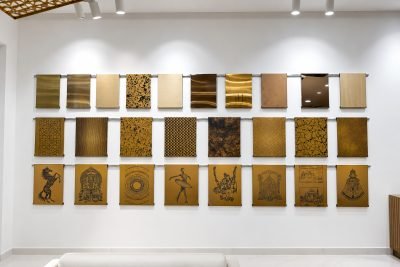
Copper stands out from the day it is installed, and it never stays the same. With exposure it goes from bright to brown, and to green with enough time and weather.

CopperCopper sheet with a patina finish
Detail
Specifying copper
| Properties | Highly conductive and very ductile. Its look changes more than that of any other metal in the range: it depends on time and on the surroundings. |
|---|---|
| Where to specify | Feature walls, shingles, water features, bar cladding and decorative screens, where the change over time is intended. |
| Finishes | Mirror, brushed or antique. Lacquer slows the change. It does not stop it. |
| Fabrication notes | Very soft: a fingernail can mark it. Careful handling through fabrication and installation matters more for copper than for any other metal here. |
| A note on claims | The antimicrobial behaviour of copper is widely documented in published studies. MCS does not publish a performance claim for it without test data on the actual product. Ask if this matters to your specification. |

Finishes
Available on copper


In this metal
20 products made in copper

AvailableV-grooved
Architectural Profiles & TrimsCopper Profile

AvailableV-grooved
Custom FabricationCopper Fabrication

AvailableV-grooved
Architectural Profiles & TrimsL Profile

AvailableV-grooved
Architectural Profiles & TrimsT Profile

Available
Architectural Profiles & TrimsFlat Patti

CustomV-grooved
Architectural Profiles & TrimsI Profile

CustomV-grooved
Architectural Profiles & TrimsJ Profile
AvailableV-grooved
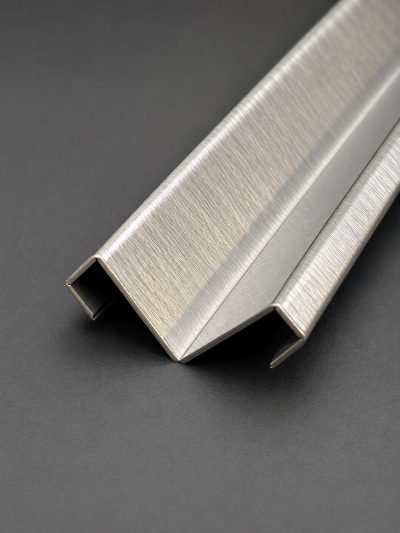
Architectural Profiles & TrimsCorner & Edge Guard Profile
Start a project
Specifying copper?
Send the detail and MCS will confirm thickness, finish and whether it forms as drawn.